MailCraft
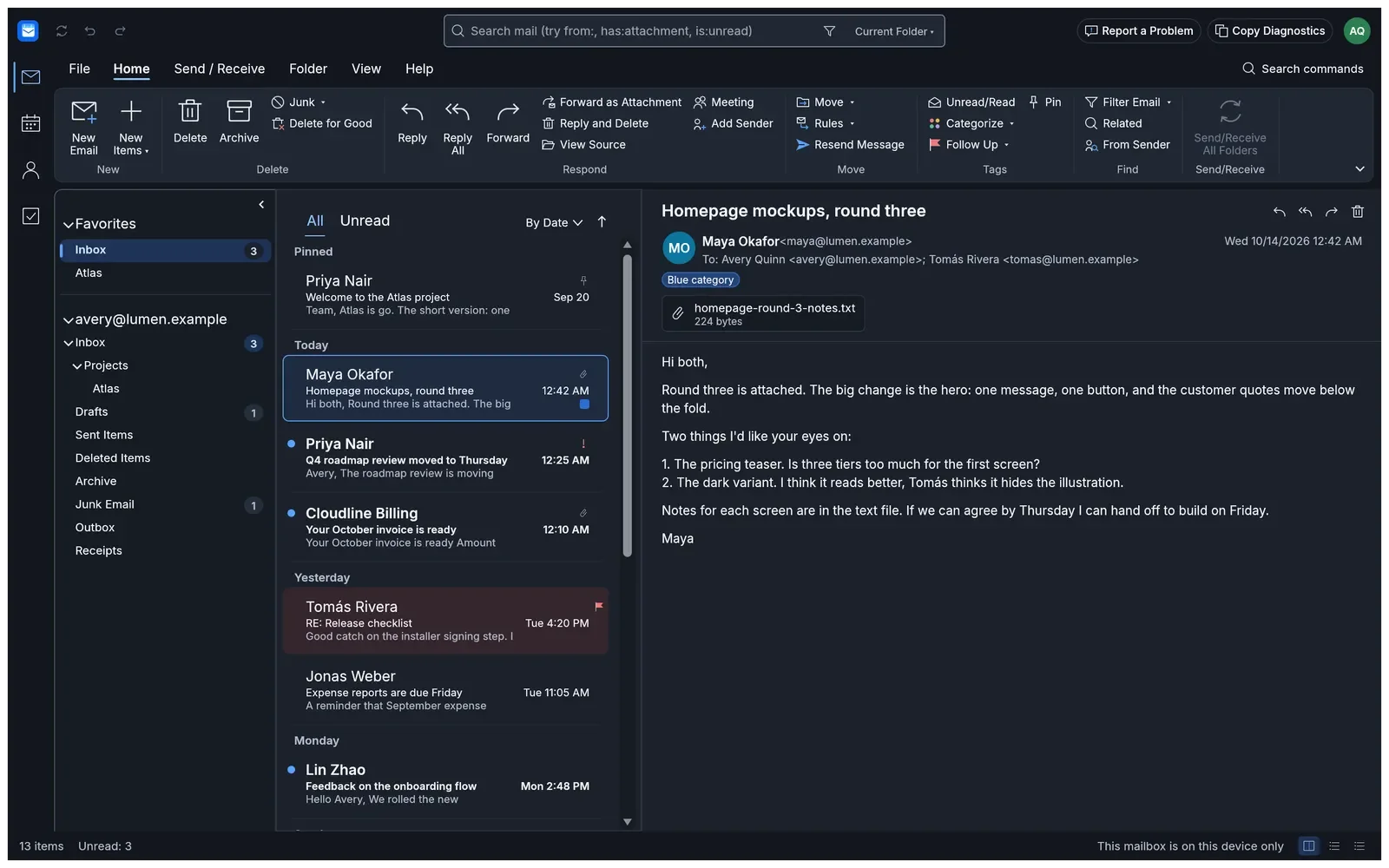
MailCraft is an open-source mail, calendar, contacts and tasks program written from scratch in Rust. It has the layout people already know from desktop mail programs: a ribbon, a folder pane, a message list with a reading pane, conversations, flags, categories, rules, a calendar with recurring meetings, people and to-dos. It is a native, GPU-rendered app with no Electron or web view. It also runs in a browser tab through WebAssembly.
Features
Section titled “Features”- Mail: nested folders and favourites, conversations, pinning, flags with due dates, colour categories, junk and archive, and undo and redo for all of it.
- Search: a query language in the search box, such as
budget from:ada has:attachment after:2026-10-01 is:unread. - Writing: rich text sent as HTML with a plain-text part, attachments, drafts, signatures with a logo, and several messages open at once.
- Calendar: day, work-week, week and month views, meetings with attendees, recurrence, reminders and Find a Time.
- Accounts: IMAP and SMTP, Microsoft 365 and Outlook.com sign-in, Gmail and Google Workspace sign-in, and Exchange Server accounts as a preview.
- Files:
.eml,.mbox,.icsand.vcfin and out, and Outlook.pstmail and contacts import as a preview. - Signed and encrypted mail: S/MIME and OpenPGP.
- Safe reading: nothing in a message runs, and web pictures load only when you ask.
- Automation and AI agents: every action is a command you can run from the CLI, a JSON control channel or an MCP server.
Status
Section titled “Status”MailCraft is in beta. Windows release signing with Microsoft is in progress, and macOS signing will follow later. Until then, Windows shows a SmartScreen warning when you install it (see Install and update). Google’s OAuth verification of MailCraft is also in progress, which affects signing in with Google (see Troubleshooting). What MailCraft can’t do yet is listed in Where MailCraft falls short.
Documentation guides
Section titled “Documentation guides”- Getting started: try the sample mailbox and add your first account.
- Install and update: installers for Windows, macOS, Linux, FreeBSD and the browser.
- Workflows: search, rules, calendar, importing mail and automation.
- Security: how MailCraft is built and checked to ship safe code.
- Troubleshooting: installer warnings, sign-in approval and known limits.
Project links
Section titled “Project links”MailCraft is not affiliated with Microsoft. Outlook is a trademark of Microsoft Corporation.